- 01 The problem
- 02 My role
- 03 Context
- 04 Discovery
- 05 Key decisions
- 06 The flow
- 07 What shipped
- 08 What I learned
Great ads started with expensive guesswork.
Before a single frame was shot, teams spent budget on references, mood boards and production, guessing which visuals would work. Customers kept asking for a faster way to make ads they could trust, without a large production budget.
I designed it from scratch, every step of it.
There was no earlier version to build on. I designed the whole experience end to end, from the insights that feed it to the finished videos. I led the research, ran interviews and user testing, and prototyped directly in code.
I worked closely with our product manager, the data team and the development team throughout.
Turning "what works" into a finished ad.
Alison already knew which creative elements performed, from a team's own data and its competitors'. AI Video Generation turns that knowledge into new ads. It surfaces the strongest elements, builds a creative brief from them, and generates several on-brand video versions using the customer's own logo, fonts and colors.
People wanted speed, but not a black box.
In interviews and testing, teams were excited about one-click videos, but only if they could steer the result and understand why it should perform. A video they couldn't trust was one they wouldn't publish.
Fast for the user, transparent about the AI.
- 01
Clear lines between what users control and what the AI decides.
Users set their preferences and choose the top-performing tags. The AI writes the brief and generates the videos. Each step is visible, so the result never feels random.
- 02
Several versions, not one answer.
Every run produces three or four versions, so teams compare and choose instead of accepting a single guess.
- 03
Waiting that feels like progress.
Generation takes time, so the screen talks back, from "Hello, John!" to "Analyzing your brief" to "Your video is ready", and the wait feels personal instead of empty.
- 04
Show why it should work.
Each result explains its expected impact, such as a predicted 17% uplift in CPI based on the selected high-performing tags.
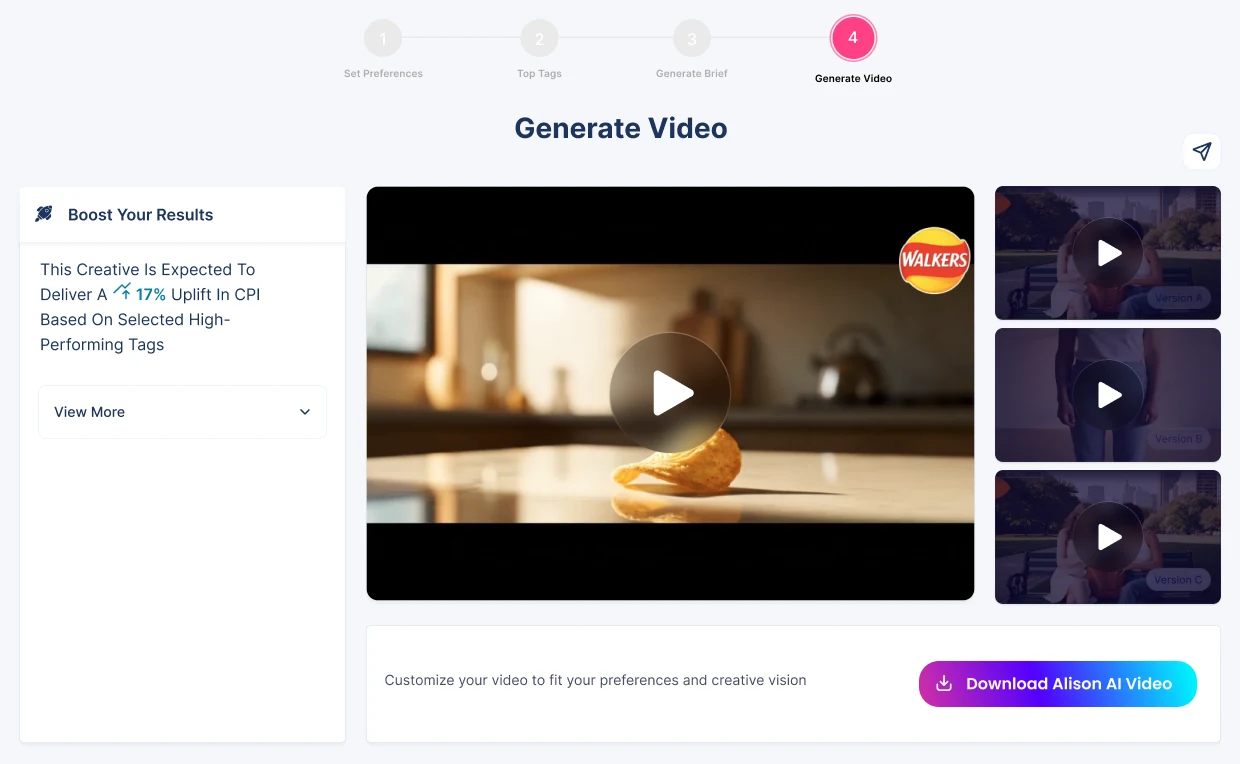
From insight to video in four steps.
- 01
Set preferences. The team picks the ad platform, campaign objective, placement and style, and can add their own notes.
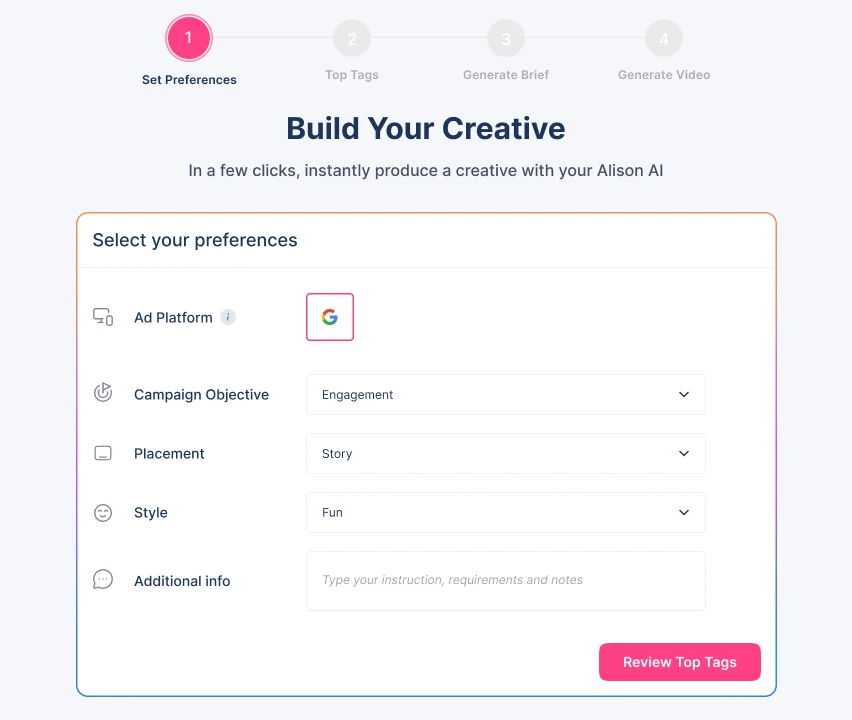
Step 1 · Set preferences - 02
Top tags. The AI pre-selects the top-performing creative elements, each with its spend, CTR and lift over baseline. The team reviews and adjusts them.
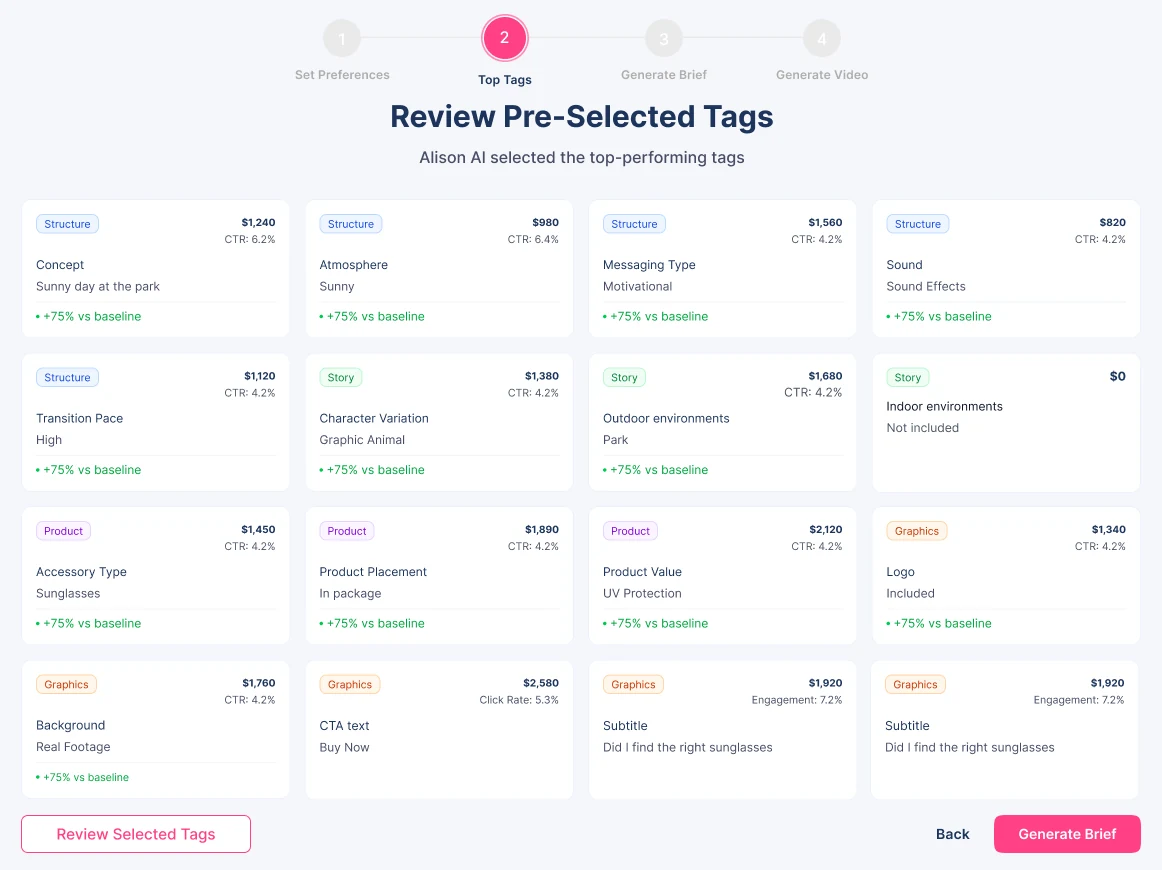
Step 2 · Review the top-performing tags - 03
Generate brief. A Smart Brief turns those choices into a creative direction, including the key message, call to action, and what to emphasize or avoid. It can be edited, exported or shared.
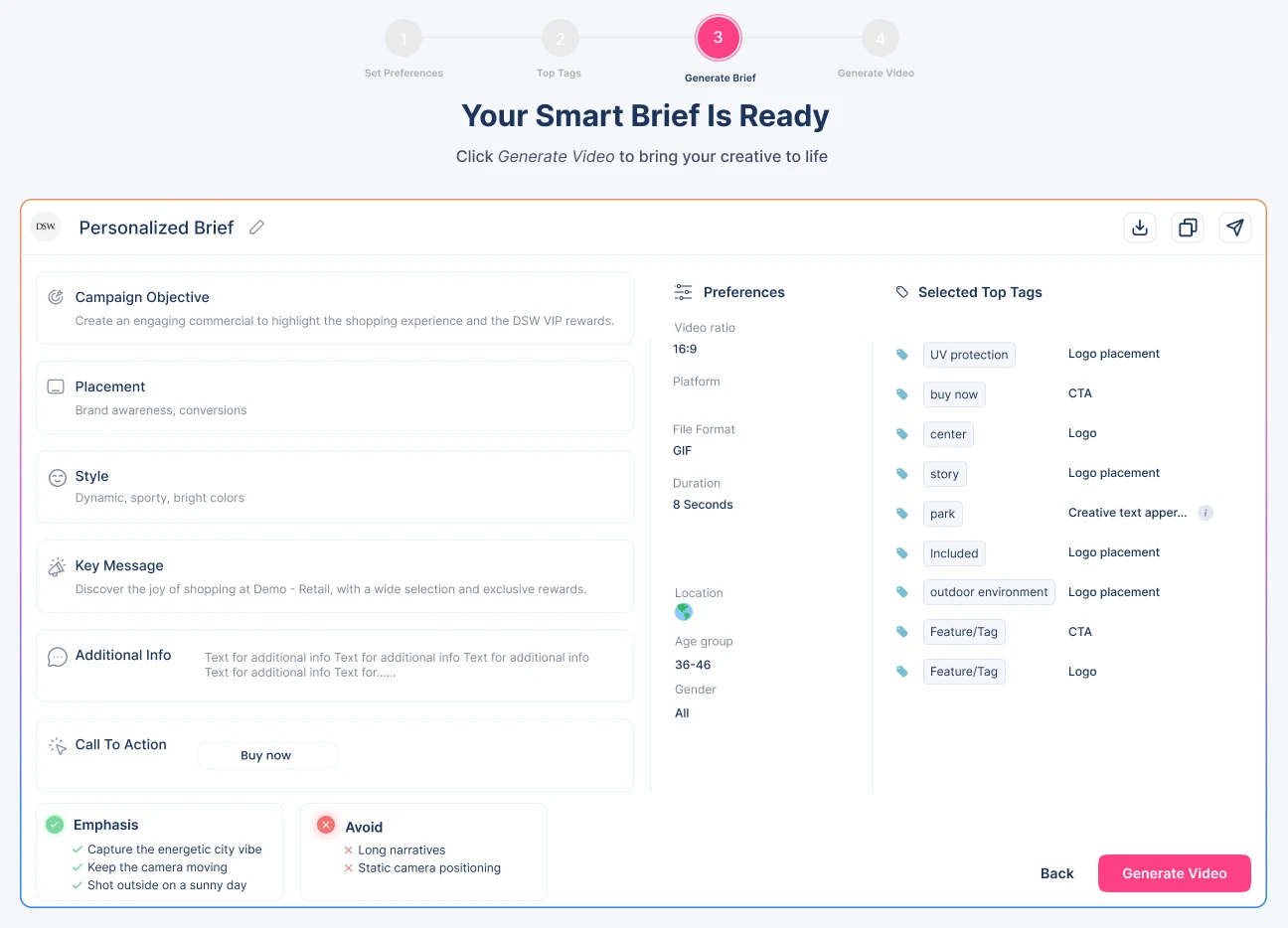
Step 3 · The Smart Brief - 04
Generate video. A branded video plus alternative versions, with the expected uplift explained and a one-click download.
Customers published the agent's ads as they were.
AI Video Generation launched, and customers were so happy with the results that they uploaded the videos the agent created straight to their own websites. What used to take a production budget and weeks of guesswork now takes one click.
With generative AI, the user still needs to feel like the author.
One click is powerful, but people only publish what they trust and feel is theirs. Giving them clear choices, several options to compare, and a reason to believe each one makes the difference between a demo and a tool teams actually use.